How to Search for Files From the Windows Command Prompt (dir, where, findstr)
Find files by name with dir and where, and by their contents with findstr, using real command output from a test folder, plus the PowerShell equivalent.

Windows how-tos and troubleshooting: BitLocker, RDP, NTFS, the boot process and Windows history

Find files by name with dir and where, and by their contents with findstr, using real command output from a test folder, plus the PowerShell equivalent.

Add an email signature in the new Outlook, classic Outlook or Outlook on the web, and set it for new messages, replies and forwards.

Create a desktop shortcut that shuts Windows down with one double-click, plus restart, hibernate, sign-out and scheduled shutdown commands from the built-in shutdown tool.

Copying a big file to a USB drive fails even though the drive has plenty of free space. The cause is the FAT32 4 GiB file limit. How to confirm it and every common fix: exFAT, NTFS, converting, splitting the file.

Work through the fixes in order: task manager, update, extensions, cache, graphics acceleration, reset and a fresh profile.

How to download the official Windows 11 ISO from Microsoft for free: the three download options, verifying the SHA-256 hash, checking requirements, and making a bootable USB drive.
Windows 11 Home vs Pro explained: BitLocker, Remote Desktop host, Hyper-V, Sandbox, Group Policy, domain join and RAM limits, plus how to check your edition and upgrade.
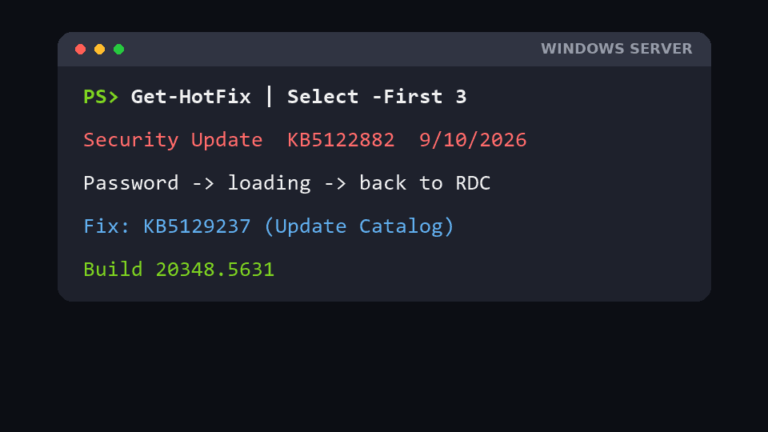
Remote Desktop closes after you enter the password and drops you back at the Remote Desktop Connection window, with no error? On Windows Server after the September 2026 update KB5122882, the fix is the out-of-band KB5129237. Plus the brute-force attempts we found while fixing it, and how we restricted RDP to client IPs with Windows Firewall.

Desktop icons missing in Windows 11: show-icons setting, Desktop icon settings, restarting Explorer, OneDrive and Public Desktop folders, registry values, icon cache and display fixes.

Deleting a Windows local user fails with “The user does not belong to this group” (NET HELPMSG 2237). Here is what I tried, what failed, and the registry fix that finally worked.