AI Cyber Threats: A Sysadmin Defense Guide
Attackers now use AI to write more convincing phishing emails, clone voices, speed up malware development and find targets faster, while organisations adopt AI tools that create new things to defend. Most of the risk is not exotic: it is familiar attacks made cheaper and more convincing, plus a new set of weaknesses in AI systems themselves. This guide sets out what is realistic, and what a system administrator can do about it with controls that already exist. It contains no attack recipes.
What has really changed
- Better lures. Language models produce fluent, well-targeted messages in any language, so the old advice “look for spelling mistakes” no longer works. Phishing, business email compromise and fake support messages are easier to scale and to personalise from public information.
- Voice and video impersonation. Cloned voices and deepfake video have been used in scams where a “boss” or “supplier” asks for an urgent payment or a password reset. Public reports exist of such fraud, including a large 2024 case in Hong Kong involving a deepfaked video call.
- Faster development and reconnaissance. Attackers use AI assistants to help write and debug scripts, translate, and summarise stolen or public data. Security agencies and AI vendors have reported state-linked and criminal groups experimenting with these uses; the capability gain so far is mainly speed and scale rather than entirely new techniques.
- New attack surface. Companies deploy chatbots, copilots and agents connected to internal data and tools. These bring their own weaknesses (see below).
Risks in the AI tools you deploy
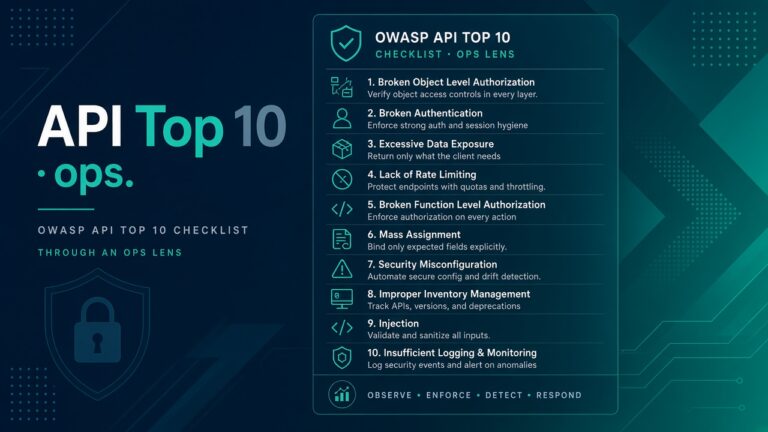
The OWASP Top 10 for Large Language Model Applications is the standard checklist. The items that matter most to administrators:
- Prompt injection: text in an email, web page or document that tricks an AI assistant into ignoring its instructions. It is dangerous when the assistant can read untrusted content and also take actions such as sending mail or running commands.
- Sensitive information disclosure: staff paste customer data, source code or credentials into public AI tools, or a model with access to company documents reveals content to someone who should not see it.
- Excessive agency: an agent has broader permissions (mailbox, file share, cloud account, shell) than its task needs.
- Supply chain: downloaded models, plugins, “skills” and packages can be malicious or tampered with. Models distributed in some file formats can execute code when loaded.
- Insecure output handling: passing model output straight into a shell, a database query or a web page recreates injection bugs.
What to do: a practical defence plan
1. Make impersonation less effective
- Require phishing-resistant MFA (passkeys or hardware security keys, FIDO2) for email, VPN, admin and cloud accounts. Codes typed into a fake page can be stolen; passkeys are bound to the real site.
- Set up SPF, DKIM and DMARC (with an enforcing policy) on your domains, so attackers cannot easily spoof your own domain. Check with
dig TXT _dmarc.example.com. - Agree out-of-band verification for payments, bank-detail changes and password or MFA resets: call back on a known number, never on one provided in the request. Consider a shared code word for executives.
- Update awareness training: teach staff to judge the request (urgent, secret, unusual payment) rather than the writing quality.
2. Reduce what a stolen credential can do
- Use least privilege, separate admin accounts, conditional access and just-in-time elevation.
- Log and alert on unusual sign-ins, new MFA registrations, mailbox rules and OAuth app consents.
- Keep systems patched, especially internet-facing ones. Faster attackers make delays more costly. See the Windows security basics and the SSH hardening checklist.
3. Govern how staff use AI
- Publish a short acceptable-use policy: what data may never be pasted into public tools (credentials, customer personal data, source code, unreleased financials), and which approved tools to use instead.
- Prefer enterprise AI offerings with a contract that covers data handling, retention and training use, and check sign-in, logging and data-loss-prevention support.
- Keep an inventory of AI tools, integrations and API keys, and review them like any other third-party service.
4. Secure AI agents and integrations
- Give each agent its own identity with the smallest permissions that work. Do not reuse an administrator’s token.
- Require human approval for high-impact actions such as sending external email, deleting data, spending money or running shell commands.
- Treat all content the agent reads (emails, web pages, tickets, documents) as untrusted input, and separate it from instructions where possible.
- Log prompts, tool calls and results so incidents can be investigated. Store API keys in a secrets manager, never in prompts or code.
- Pin and verify models, plugins and packages, scan them, and prefer safe serialization formats.
5. Use AI defensively, carefully
AI can help your team summarise alerts, draft detection rules and review logs. Treat its output as a suggestion to verify, not an authority, and do not send sensitive logs to a tool you have not approved.
A quick checklist
| Area | Control |
|---|---|
| Identity | Passkeys or FIDO2 keys for admins and email; alerts on new MFA methods |
| SPF, DKIM, enforced DMARC; external sender banners | |
| Finance | Call-back verification for payment or bank changes |
| AI use | Approved tools, a data-handling policy, an inventory |
| Agents | Least privilege, human approval, logging, secrets manager |
| Basics | Patching, backups, network segmentation, incident response plan |
Common questions
Can antivirus or email filters detect AI-written phishing?
Not reliably by looking at the text. Filters work better on sender reputation, links, attachments and behaviour, which is why authentication (DMARC) and MFA matter more than trying to detect “AI text”.
Is banning AI tools the answer?
Usually not. Staff use them anyway, on personal accounts, which is worse. Provide approved tools and clear rules instead.
How do I spot a deepfake call?
Do not rely on spotting artefacts. Verify by a separate channel, and ask a question only the real person could answer.