SSH Hardening Checklist for Production Linux Servers (2026)
SSH is still how most of us touch production. That makes it both sacred and dangerous. One weak password on port 22 and your carefully tuned app server becomes someone else’s crypto miner by breakfast.
This is a practical checklist I want every junior to run before a box sees the internet — and every senior to re-verify after “temporary” exceptions rot for six months. It’s written for Ubuntu/Debian and RHEL-family hosts in 2026, not for textbook purity contests.
If you’re still building general Linux muscle, start with the beginner roadmap and why Linux still matters in 2026. Hardening assumes you can survive a mistyped command — which is why we also wrote about commands that can wipe a server.
What “good enough” SSH looks like in 2026
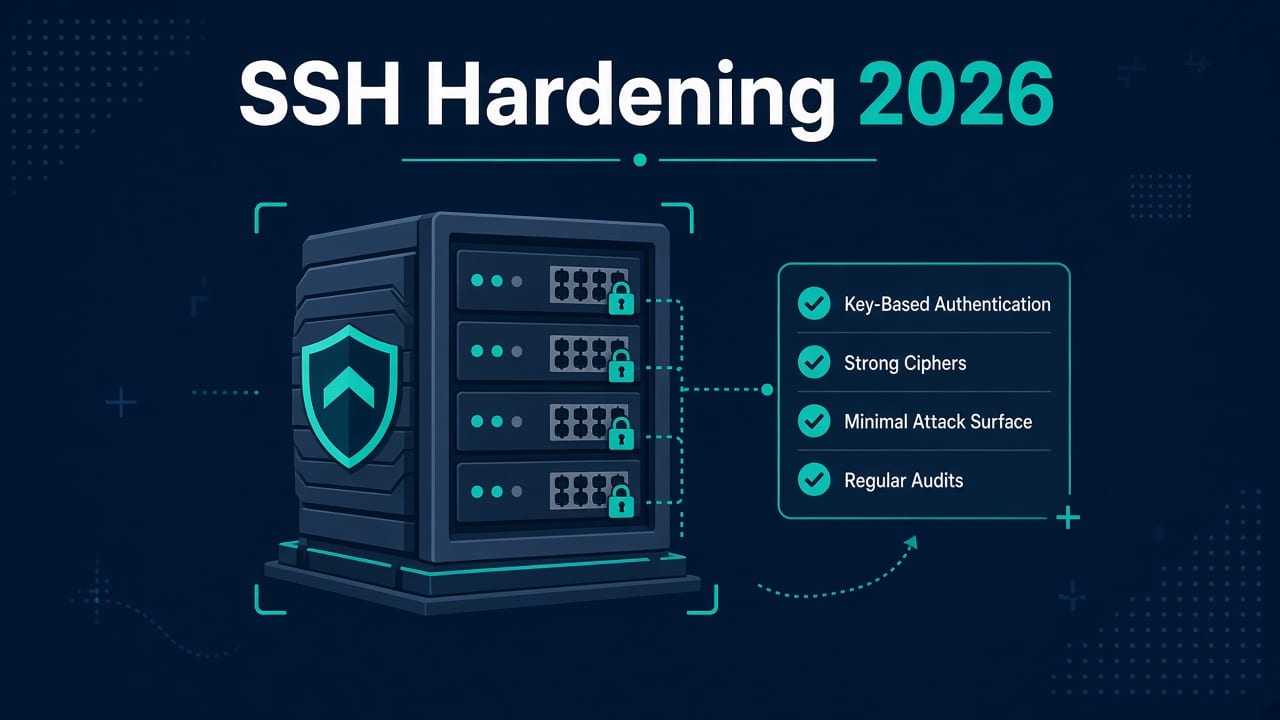
For a typical production Linux VM:
- Key-based auth only (password auth off)
- Root login disabled (or prohibit-password at minimum — prefer disabled + sudo)
- Non-default port optional (obscurity ≠ security, but reduces noise)
- AllowUsers / AllowGroups explicit
- fail2ban or equivalent rate limiting
- MFA for human logins where feasible
- Config managed in Git (Ansible), not tribal memory
Cloud security groups / NSGs are part of SSH hardening. A perfect sshd_config behind 0.0.0.0/0 on port 22 is still lazy.
Checklist overview (print-friendly)
Use this as a change ticket template:
- ☐ Inventory who needs access and from where
- ☐ Create sudo users; verify console/serial recovery works
- ☐ Install ed25519 (or strong RSA) keys; test
- ☐ Disable password authentication
- ☐ Set
PermitRootLogin no - ☐ Tighten ciphers/MACs/Kex if policy requires
- ☐ Restrict users/groups and optional AllowUsers
- ☐ Configure firewall (sg + host firewall)
- ☐ fail2ban or sshguard
- ☐ MFA (pam modules / IdP / bastion)
- ☐ Logging + alerting on auth failures
- ☐ Document break-glass procedure
Never flip password auth off until you have a working key session and out-of-band console (cloud serial, iDRAC, IPMI, etc.).
Step 1 — Users, groups, and break-glass
Create a personal admin user (not shared ubuntu forever):
adduser devopsadmin
usermod -aG sudo devopsadmin   # Debian/Ubuntu
# usermod -aG wheel devopsadmin  # RHEL-family
Shared accounts erase accountability. If auditors ask “who ran that?”, “the ubuntu user” is a bad answer.
Break-glass: store an emergency key or cloud console procedure in your password manager / ops vault. Test it quarterly. Untested break-glass is fiction.
Step 2 — SSH keys done properly
On your laptop:
ssh-keygen -t ed25519 -a 100 -C "[email protected]"
- Prefer ed25519 for new keys.
- Use a passphrase on the private key (ssh-agent / 1Password / Bitwarden SSH agent helps).
- Deploy the public key to
~/.ssh/authorized_keyswith mode600on the file and700on.ssh.
chmod 700 ~/.ssh
chmod 600 ~/.ssh/authorized_keys
Don’t paste private keys into tickets, Slack, or Git. Ever. Rotate if you even suspect exposure.
For teams: consider short-lived certs (SSH certificate authority) once you’re past five engineers. Until then, disciplined authorized_keys via Ansible beats chaos.
This pairs naturally with the SysAdmin → DevOps roadmap — Ansible’s first killer use case is often standardized sshd and users.
Step 3 — Core sshd_config settings
Edit carefully. On modern systems, drop-in files under /etc/ssh/sshd_config.d/ keep packaging happier.
Example baseline (adjust to your distro’s defaults and run sshd -t before reload):
PermitRootLogin no
PasswordAuthentication no
KbdInteractiveAuthentication no
PubkeyAuthentication yes
AuthorizedKeysFile .ssh/authorized_keys

ChallengeResponseAuthentication no
UsePAM yes

X11Forwarding no
AllowTcpForwarding no
PermitTunnel no
AllowAgentForwarding no

ClientAliveInterval 300
ClientAliveCountMax 2
LoginGraceTime 30
MaxAuthTries 3
MaxSessions 4

# Optional but explicit
AllowGroups sshusers
# AllowUsers devopsadmin alice
Notes:
- Setting forwarding options to
nomay break legitimate jump-host workflows — useMatchblocks for bastions instead of a blunt global if needed. PasswordAuthentication nois the big one. Pair with cloud SG restrictions.- After changes:
sudo sshd -t && sudo systemctl reload ssh(Debian) orsshd/ssh.serviceper distro.
Always keep a second session open when reloading sshd. Classic footgun.
Optional: non-default port
Port 2222
This reduces bot noise; it does not stop a targeted attacker. Update firewall and monitoring accordingly. Document the port or your future self will page yourself.
Step 4 — Firewall and network placement
Host firewall (ufw example):
ufw default deny incoming
ufw default allow outgoing
ufw allow OpenSSH    # or allow 2222/tcp
ufw enable
Cloud security group:
- Prefer allowlists: office VPN CIDRs, bastion only, or tailnet ranges
- Avoid
0.0.0.0/0on SSH for production data planes - Put public SSH only on bastion / emergency access hosts
Architecture that works for small teams in 2026:
- Humans → VPN or Tailscale/ZeroTier / SSM Session Manager
- Or humans → bastion (hardened) → private instances
If you can eliminate standing SSH to app nodes, do it. Many AWS shops lean on SSM; learn it when your roadmap hits cloud ops.
Step 5 — fail2ban (or equivalent)
Brute force against key-only SSH is less scary than against passwords, but you still want abuse detection and less log spam.
Minimal idea:
- Ban IPs with repeated auth failures
- Sane ban time (don’t lock yourself out of the only allowlisted IP without console)
# Debian/Ubuntu sketch
sudo apt install fail2ban
# enable sshd jail via jail.local — keep bantime/findtime modest at first
Alternatives: sshguard, cloud WAF/adaptive protection, or IdP-gated access that makes fail2ban less central.
Watch for false positives from broken automation — CI with a bad key can ban your pipeline NAT.
Step 6 — MFA basics for human SSH
In 2026, MFA for SSH usually means one of:
- PAM + TOTP (Google Authenticator / pam_oath) on the server
- Hardware keys (FIDO2) with
SecurityKeyProvider/ resident keys - IdP / SSO bastion (Teleport, Boundary, cloud Identity-Aware proxies)
- VPN MFA so SSH itself is only reachable after a second factor
For a single VPS blog or small fleet: TOTP via PAM or FIDO2 keys is achievable. For a company: prefer a bastion/IdP product so you’re not inventing MFA snowflakes on every VM.
Don’t enable MFA until key auth is stable. Stacking unfinished controls is how teams get locked out and then disable everything “temporarily.”
Step 7 — Crypto policy and outdated clients
Default OpenSSH on current distros is decent. Still:
- Disable legacy algorithms if compliance requires (use your distro’s crypto policies on RHEL-like systems)
- Retire ancient clients that only speak weak KEX
- Keep OpenSSH patched — SSH CVEs are rare-ish but not mythical
ssh -Q kex
ssh -Q cipher
Tune only with a regression test from every jump host you actually use.
Step 8 — Logging, monitoring, and proof
- Ensure auth logs ship somewhere you look (
/var/log/auth.logorsecure→ central logging) - Alert on: spike in failures, successful login from new country/IP, root attempt
- Retain enough history for incident review
Quiet logs are not the goal. Actionable logs are.
Step 9 — Manage config like an adult (Ansible)
Hand-edited sshd_config drifts. Encode the baseline:
- Ansible role: packages, users,
authorized_keys,sshd_config.dsnippet, fail2ban - CI lint on the role
- Apply to staging first
This is the bridge from “I hardened one box” to “our fleet stays hardened.” More on sequencing tools in the DevOps transition roadmap.
Distro footnotes
- CentOS → Stream / Rocky / Alma choices still affect default firewall and SELinux posture — see CentOS vs CentOS Stream.
- SELinux/AppArmor: don’t disable them to “make SSH work.” Fix the context.
- Containers: SSH inside app containers is usually a smell; prefer runtime exec and node access patterns.
Common mistakes that undo hardening
| Mistake | Why it hurts |
|---|---|
| Leaving PasswordAuthentication on “just in case” | Bots only need one weak user |
| Shared team private key | No attribution; nightmare rotation |
| SSH open to world + no MFA + passwords | Classic miner bait |
| Testing reload in the only session | Lockout |
| Hardening bastion but not checking agent forwarding | Lateral movement gift |
FAQ
Is changing the SSH port worth it?
As noise reduction, yes. As real security, no. Always combine with keys, allowlists, and patching.
Should PermitRootLogin be prohibit-password or no?
Prefer no and sudo. prohibit-password is a compromise during migration. Finish the migration.
Is fail2ban enough?
It’s one layer. Network allowlists and key-only auth matter more. fail2ban helps with abuse and visibility.
Do I need MFA on every server?
You need MFA on the path humans use — VPN, IdP bastion, or PAM on SSH. Covering every app node individually doesn’t scale; design the path.
What about Windows admins who also touch Linux?
Same principles: least privilege, no standing wide-open remote access, strong auth. Different tooling (see also Windows-side fixes like WMIC on Windows 11), same discipline.
Sources
- sshd_config(5) manual page (OpenBSD/OpenSSH)
- CISA alerts, for current guidance on internet-facing SSH exposure