Reading a CVE Like a Sysadmin: What Actually Matters in a Security Advisory
A CVE advisory lands in your inbox or your vulnerability scanner’s report. It has a scary name, a score, and a wall of text. The question that actually matters isn’t “is this bad” — almost every CVE sounds bad in its own summary. The question is: does this affect what I actually run, is it reachable by an attacker in my environment, and how urgently do I need to act. Here’s how I actually read one.
Start with the CVE ID and the source, not a headline
Every CVE has a fixed format: CVE-YYYY-NNNNN..., a year and a sequence number (four digits or more once a year’s count runs past 9999). The year reflects when the ID was assigned or first publicly disclosed, which isn’t always the same year the underlying flaw was introduced. Go to the National Vulnerability Database (NVD) directly and search the ID, rather than trusting a news headline or a vendor’s marketing blog post about it. Headlines optimise for alarm; the NVD entry and the vendor’s own security advisory optimise for accuracy, which is what you need to make a patch decision.
The CVSS score is a starting filter, not a verdict
Not every CVE has a CVSS score assigned yet, and where one exists, check which CVSS version it’s under (v3.1 and v4.0 score some factors differently) — the NVD entry states this explicitly. A lot of teams read only the single headline number and stop there: “9.x, patch now.” That number is calculated from a vector string that breaks down into components worth reading individually, because two high scores can mean very different things for you in practice:
- Attack Vector (AV): Network, Adjacent, Local, or Physical. Network doesn’t automatically mean “reachable from the public internet” — it can just as easily mean reachable only from inside your internal network segment. Check what’s actually true for your deployment, not just the label.
- Attack Complexity (AC): Low means a reliable, repeatable exploit; High means specific conditions have to align for it to work. Low-complexity, network-vector vulnerabilities are the profile most likely to be turned into mass, automated scanning once a proof-of-concept is public.
- Privileges Required (PR): None, Low, or High. A vulnerability that needs an attacker to already have valid credentials is a smaller jump for them if your credential hygiene is already weak, and a much smaller problem if it isn’t.
- User Interaction (UI): None means the vulnerability triggers without anyone clicking anything, which is part of what makes worm-style, self-propagating exploitation possible.
A CVE with Network vector, Low complexity, no privileges required, and no user interaction, genuinely reachable in your environment, is the profile worth treating as urgent regardless of the exact headline number — not because of a guaranteed timeline, but because that combination removes every practical barrier to automated exploitation once someone builds one.
Does it actually apply to what you run?
This is the step people skip under time pressure, and it’s the one that saves the most wasted effort. Check the exact affected version range in the advisory, not just the product name — plenty of CVEs affect one minor version range and not others. Then check whether the vulnerable code path is even reachable in your deployment: a vulnerability in an optional module you never enabled, or a feature you’ve firewalled off entirely, is real but not urgent for you specifically. Note the difference between “affected” and “exploitable in my environment” in your own tracking; it’s the difference that lets you patch in the right order under real constraints instead of alphabetically.
Where the real detail actually lives
The NVD entry is the index, not the full story. For depth, go to:
- The vendor’s own security advisory — usually has the clearest statement of affected versions, the fix version, and any workaround if you can’t patch immediately.
- The exploit-availability signal — check whether a public proof-of-concept exists (the NVD references section often links to one, or GitHub advisory databases track it). No public exploit yet doesn’t mean safe; it means your window is shorter than it looks once one appears.
- CISA’s Known Exploited Vulnerabilities (KEV) catalog — a CVE on this list has confirmed evidence of real-world exploitation, which is a stronger signal than the CVSS score alone and should move it up your queue regardless of the headline number, even if that exploitation was observed in the past rather than ongoing today.
Turning this into a patch decision
A workable triage order, applied consistently, beats a perfect scoring model applied inconsistently:
- On the CISA KEV list, and reachable in your environment → patch now, out of the normal change window if needed.
- Network vector, low complexity, no privileges/interaction required, and internet-facing → patch on an expedited schedule, days not weeks.
- Requires local access or high privileges already, or isn’t reachable in your deployment → normal patch cycle.
- Affects a product you don’t run, or an unused module → note it, don’t action it, move on.
Document which bucket you put something in and why, briefly. Six months later when someone asks “did we know about this,” a one-line note in a ticket is worth more than your memory.
Common questions
Should I subscribe to every vendor’s security mailing list?
For anything internet-facing and business-critical, yes. For everything else, a good vulnerability scanner or your distro’s security-update feed covers most of it without the inbox noise.
What if there’s no patch available yet?
Check the advisory for a documented workaround (disabling a feature, adding a WAF rule, restricting network access to the affected service) and apply that as a stopgap, tracked with an explicit expiry date so it doesn’t quietly become permanent.
Is a low CVSS score ever still urgent?
Yes — a chain of two “medium” vulnerabilities is sometimes what actually gets combined into a full compromise. CVSS scores each vulnerability in isolation; real attackers don’t.
Keep reading
- Common Misconfigurations That Get Servers Popped — The mistakes that turn a CVE into a breach.
- Linux Package Management with apt and dnf — Like an Admin — Apply the patch once you know it matters.
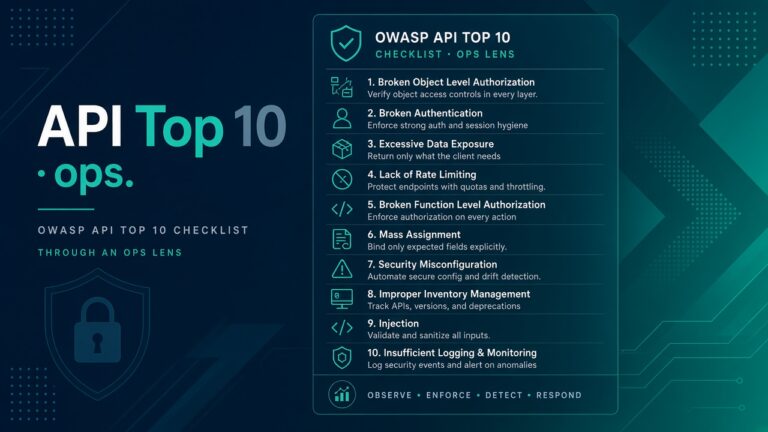
- OWASP API Top 10 Through an Ops Lens (No Exploits) — Common API weaknesses from an operations view.