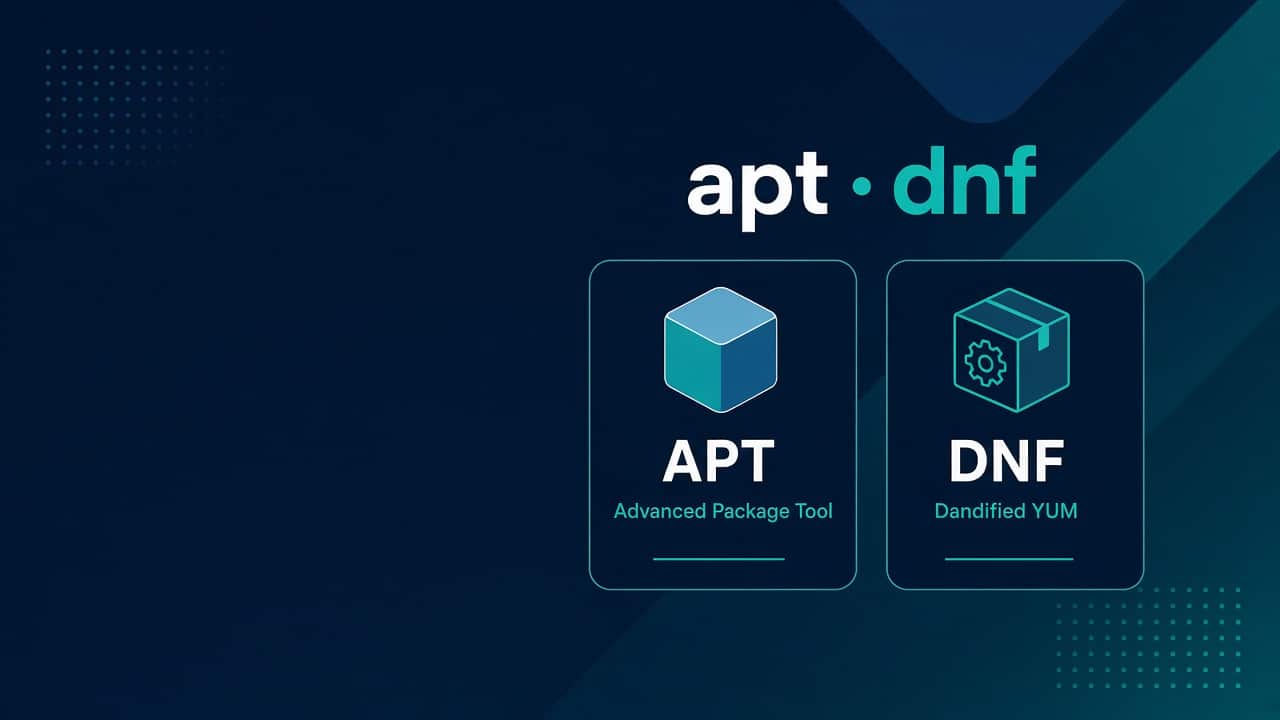
Linux Package Management with apt and dnf — Like an Admin
Students install packages. Admins manage risk: what lands on a box, from where, when, and how you roll back when Monday’s update sneezes.
This is apt (Debian/Ubuntu) and dnf (RHEL/Rocky/Alma) the way job tickets look — patch windows, repo trust, disk filled by cache, and services that die after an upgrade. Lab first: lab setup. Distro context: CentOS vs Stream.
Mental model: repos, metadata, packages, scripts
A package manager pulls metadata from repositories, resolves dependencies, downloads artifacts, and runs maintainer scripts. When an install “hangs,” it might be waiting on a prompt, a lock, or a post-install that restarted a service.
# Who holds the lock?
sudo lsof /var/lib/dpkg/lock-frontend 2>/dev/null
sudo lsof /var/run/yum.pid 2>/dev/null
Daily apt muscle memory
sudo apt update
apt list --upgradable
sudo apt upgrade -y          # deliberate on prod; lab can be looser
sudo apt install -y nginx
apt show nginx
apt policy nginx
dpkg -L nginx | head
dpkg -S $(which nginx)
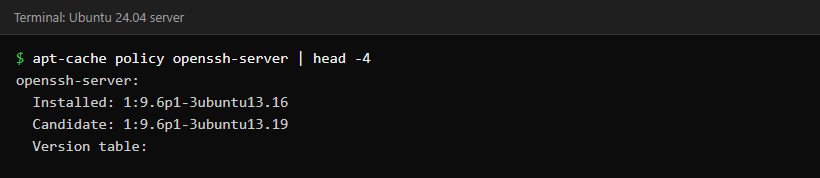
policy tells you which repo version you’ll get. show beats random blog version pins. After upgrades, check services: systemd failed to start.
Daily dnf muscle memory
sudo dnf check-update
sudo dnf update -y
sudo dnf install -y nginx
dnf info nginx
dnf list installed nginx
rpm -ql nginx | head
rpm -qf $(which nginx)
Old muscle memory says yum; on modern RHEL-ish, dnf is the front door. Same ideas, cleaner dependency solving.
Patch like production, even in the lab
- Read changelogs for kernel, openssl, sshd, database engines
- Snapshot or AMI before kernel upgrades
- Reboot deliberately when the kernel updates — don’t discover it via unexplained weirdness
- Keep a notes file: date, packages, ticket, rollback plan
Unattended upgrades are fine when you chose them. Surprise reboots are not. Know whether unattended-upgrades or dnf-automatic is armed on a box you inherit.
Holds and version pins
sudo apt-mark hold docker-ce
apt-mark showhold
# dnf versionlock plugin on many systems
sudo dnf install -y 'dnf-command(versionlock)'
sudo dnf versionlock add nginx
Pin when an app vendor certifies a version. Unpin when you’re ready to own the upgrade. Silent pins are how boxes rot for two years.
Third-party repos: trust is the feature
Adding a random .list or .repo file is easy. Owning the blast radius is the job.
- Prefer vendor instructions over mirror blog posts
- Confirm GPG keys
- Disable repos you don’t need (
enabled=0) - One change per ticket when possible
ls /etc/apt/sources.list.d/
ls /etc/yum.repos.d/
Cleanup before disks scream
sudo apt autoremove --purge
sudo apt clean
sudo dnf autoremove
sudo dnf clean all
du -sh /var/cache/apt /var/cache/dnf 2>/dev/null
Package caches and old kernels fill root quietly. When df hurts: disk full triage.
When installs fail for “network reasons”
Half the time it’s DNS or egress, not apt itself. Verify resolve and curl to the mirror:
getent hosts archive.ubuntu.com
curl -I https://archive.ubuntu.com/
Checklist: DNS not resolving. Corporate proxies need Acquire::http::Proxy (apt) or proxy= in dnf.conf — document it for the next admin.
“What changed on this box?”
grep -E ' install | upgrade ' /var/log/dpkg.log | tail
sudo ausearch -m PKG 2>/dev/null | tail   # if audit rules exist
sudo dnf history
sudo dnf history info last
dnf history undo can save a bad update on RPM systems when you act quickly. On apt, lean on snapshots/backups more than fantasy rollbacks.
Containers don’t erase package literacy
Base images still age. Hosts still need patches. Compose stacks still depend on host DNS and disks — Compose for ops. Don’t hide from patching inside “immutable” slogans you don’t practice.
Running updates in production
Habits that keep patching boring on real servers.
Kernel updates and the reboot conversation
Userland patches rarely need drama. Kernel updates do. Agree with your team whether you reboot same night, next window, or after canaries. Live patching exists in some enterprises; don’t invent it on a single VM hobby box and call it a strategy.
uname -r
# Debian/Ubuntu: reboot-required flag
cat /var/run/reboot-required 2>/dev/null
cat /var/run/reboot-required.pkgs 2>/dev/null
After reboot, smoke-test the app, SSH, and disk mounts before declaring victory in chat.
Security updates vs “everything latest”
Chasing every minor package because a blog said so creates churn. Prioritize security updates and packages that touch your attack surface: sshd, openssl, browsers on bastions, container runtimes, web servers. App runtimes (language stacks) follow vendor guidance.
On Ubuntu, know the difference between upgrade and selective package installs. On dnf, updateinfo list sec (when available) helps you talk about security patches like an adult in change meetings.
Local packages and offline shops
Some environments can’t hit the public internet. You’ll meet internal mirrors, Satellite/Landscape-style tools, or a folder of RPMs/DEBs. Practice installing from a local file so you’re not helpless:
sudo apt install ./package_1.2.3_amd64.deb
sudo dnf install ./package-1.2.3.x86_64.rpm
Verify checksums when a human hands you a file on USB. Trust, but hash.
Automating updates without surprise
Ansible can roll updates with health checks between hosts — start simple with first useful role. Cron-based apt upgrade without observability is how you learn about failures from users, not dashboards. Observability basics: Module 8.
Common failure stories (collect your own)
- Held packages blocking security updates for a year
- Third-party repo overwriting a base package
- Partial upgrade interrupted by full disk mid-download
- Node that diverged from the fleet golden image
Write one paragraph after each lab mishap. That paragraph becomes interview gold and runbook seed. Package literacy also feeds scenario answers.
Golden images beat snowflake hosts
The endgame isn’t clever apt one-liners on each machine. It’s baking updates into images or config management so hosts look alike. Until then, document every manual exception. Snowflake servers are where “works in prod” goes to die.
Practice rebuilding a lab VM from your notes after a bad upgrade. That rebuild time is a metric. Shrink it. Tie habits to lab setup snapshots plus eventual backup drills.
Reading changelogs without drowning
You can’t read every changelog. You can skim high-impact packages and vendor advisories for your stack. Keep a short watchlist per role: web host, DB host, bastion. When a CVE drops, you’ll already know which inventory query to run.
In the lab, pick one package weekly, upgrade it, and write three lines: what changed, what you tested, what you’d monitor in prod. That habit beats passive video watching. Career glue: DevOps roadmap.
Mixed fleets
Ubuntu and Rocky in the same company means two muscle memories. Keep a two-column cheat sheet until both feel natural. Don’t translate mentally under pressure — practice both in the lab weekly.
Practice
Job-ready drills
- Create a lab checklist: update → reboot if kernel → smoke test nginx
- Add and remove a vendor repo cleanly
- Hold a package, attempt upgrade, prove it stayed
- Fill cache on purpose, clean it, record disk before/after
FAQ
apt upgrade vs full-upgrade?
full-upgrade may remove packages to satisfy dependencies. Know which you run in automation.
Is yum dead?
As a habit on EL8+, use dnf. Many muscle-memory commands still work via wrappers.
Should CI build hosts auto-update?
Prefer golden images or controlled updates. Random mid-build upgrades create heisenbugs.
Where next?
Services after packages: systemd for new admins. Career framing: DevOps roadmap.
Package management is change management with a nicer CLI. Treat it that way and interviews get easier.
Sources
Related: Not every app comes from apt or dnf. If an app shipped as an AppImage will not start, see why an AppImage won’t run on Linux and how to fix each error.