Is Linux Worth Learning in 2026? An Honest Career Answer
Is Linux Still Worth Learning in 2026? An Honest Answer From Someone Who Uses It Daily.
Concretely: in a normal week Linux appears when I deploy services to ECS, tail application logs to find why a container is crash-looping, tune an Nginx config, chase a disk-space alert, and check why a service didn’t come back after a reboot. None of that happens in a cloud console — all of it happens at a shell prompt.
Every few months, someone asks me a version of the same question. Sometimes it’s a college student, sometimes it’s a support engineer stuck in a role they’ve outgrown. The question goes: “Should I learn Linux, or should I skip straight to cloud and DevOps?”
I understand why people ask. Cloud certifications are everywhere, AI tools are writing half our shell scripts now, and Linux feels like something from an older era of IT. Why spend months learning an operating system when you could be learning Kubernetes?
Here’s the uncomfortable truth I always give them: you can’t skip it. And the people who try usually end up coming back to it anyway, just later and more frustrated.
Here’s why — and what I’d actually do about it.
The thing nobody tells beginners about cloud jobs
When Linux may not be your first priority
An honest answer has to include this part. Linux is essential if you’re heading toward cloud infrastructure, DevOps, SRE, cybersecurity, backend operations, or server administration. But it doesn’t need to be your first major skill if your target is front-end development, UI/UX, Microsoft 365 administration, desktop support, business analysis, or a Windows-heavy .NET environment — those paths have their own foundations, and Linux can wait.
Even then, basic familiarity pays off. The point isn’t that everyone must become a Linux administrator; it’s that anyone building an infrastructure career can’t route around it.
Almost every “modern” technology you’re excited about runs on Linux underneath.
Most cloud server workloads you’ll encounter run Linux — AWS and the other providers support Windows and even macOS instances, but Linux dominates the fleet. The containers in your Kubernetes cluster? Overwhelmingly Linux (Windows containers exist on Windows worker nodes, but Linux is the default across the container ecosystem). The CI/CD pipeline, the Nginx reverse proxy, the database server, the Raspberry Pi project — Linux. Even Android is built on a Linux-based kernel, though its user environment is nothing like a server distribution.
I work with AWS and Azure infrastructure regularly, and I can tell you from experience: the engineers who struggle most with cloud work aren’t the ones who don’t know AWS. They’re the ones who don’t know Linux. When a container won’t start, the AWS console won’t save you. You need to read logs, check permissions, trace a process, understand why a port isn’t listening. Those are Linux skills, and no amount of clicking around a cloud dashboard replaces them.
So when people frame it as “Linux vs cloud,” they’ve got it backwards. Linux is the floor the cloud is built on. Learn the floor first.
What jobs does Linux actually unlock?
This is where it gets practical. Solid Linux skills open four broad career doors, roughly in order of how much experience they expect:
| Role | Indicative India range | What moves the number |
|---|---|---|
| Linux support / admin (entry) | ₹2.5–6 LPA | Shift work, troubleshooting depth, RHCSA, networking |
| Linux / cloud operations | ₹5–12 LPA | AWS/Azure, scripting, monitoring, production exposure |
| DevOps engineer | ₹4–16+ LPA | CI/CD, containers, Terraform, Kubernetes, coding ability |
| Senior DevOps / SRE / platform | Highly variable | Scale, architecture, incident record, product-company experience |
These are broad market estimates from public salary aggregators as of mid-2026 — not promises. Ranges differ sharply between service companies, startups, product companies, and GCCs, and between cities. Check live job listings for your city and experience level before making decisions.
Linux System Administrator. The classic entry point. You manage servers, handle user accounts, configure services, keep things patched and running.
DevOps Engineer. This is where Linux skills compound. Add Git, Docker, a CI/CD tool, and one cloud platform on top of your Linux foundation, and you’re suddenly in one of the most in-demand roles in the market.
Cloud Engineer / Cloud Architect. Same story, different emphasis. Cloud roles are essentially Linux administration at scale, with vendor-specific tooling layered on. If you’re already comfortable in a terminal, an AWS or GCP certification becomes dramatically easier to earn and, more importantly, to actually use on the job.
Site Reliability Engineer (SRE). The deep end. SREs frequently need strong Linux troubleshooting under pressure — but the role is bigger than Linux: software engineering, observability, distributed systems, automation, and disciplined incident management all sit alongside it. Linux is the entry requirement, not the whole job. It also pays accordingly.
Notice the pattern? Linux isn’t the destination for most people. It’s the common foundation under all four paths. That’s why it keeps paying off: you learn it once, and it travels with you no matter which direction your career turns.
The realistic learning roadmap (no fluff version)
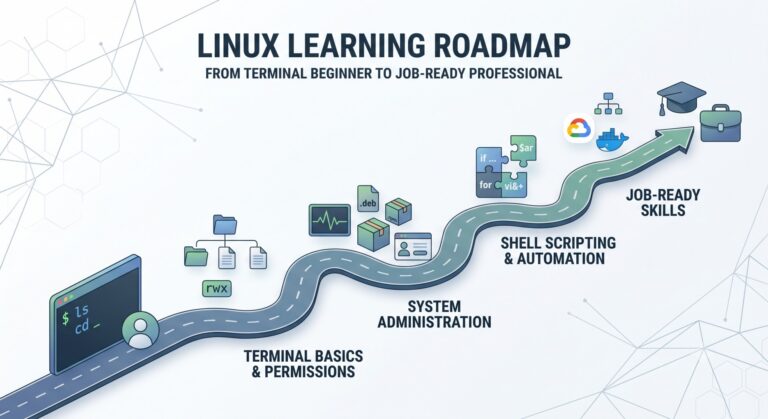
Here’s the part most articles skip: what does “learning Linux” actually mean? You don’t need to memorise every command ever written. You need working competence in a specific set of areas. Based on what actually comes up in real jobs and interviews, this is the sequence I’d follow:
Weeks 1–3: Live in the terminal. Install Ubuntu or Fedora (a virtual machine is fine, WSL2 on Windows also works). Learn navigation, file operations, and how to read documentation with man. The goal isn’t memorisation — it’s getting to the point where the terminal feels like home instead of a hostile environment.
Weeks 4–6: Users, permissions, and processes. This is the heart of system administration. Understand users and groups, why chmod 777 is almost always the wrong answer, how to inspect running processes, and how systemd services start and stop. Interviewers love this territory because it separates people who’ve used Linux from people who’ve only watched videos about it.
Weeks 7–9: Networking and storage. Learn to check what’s listening on which port, configure a firewall, troubleshoot DNS, mount a disk, and read df and du output without panicking. Half of real-world troubleshooting lives here.
Weeks 10–12: Shell scripting and a small project. Automate something real. A backup script, a log rotation setup, a monitoring script that emails you when disk usage crosses 80%. Put it on GitHub. One genuine project beats ten certificates of completion from video courses.
If you already have some IT background — support, networking, a little programming — three to four months of consistent evening study typically gets you to job-application readiness. A complete beginner should budget six months without feeling behind. And keep the three milestones separate: ready to apply, ready to pass interviews, and ready to work unsupervised in production are different heights on the same climb. The test isn’t finishing a timetable; it’s performing the tasks without a tutorial open..
Which certifications are worth your money?
Certifications in the Linux world are a mixed bag, so let me be blunt about it.
RHCSA (Red Hat Certified System Administrator) is the one that carries real weight in India. It’s a hands-on, practical exam — you sit at a machine and fix things, no multiple choice. Employers know this, which is why it shows up in so many job descriptions. It costs real money — check Red Hat’s official India pricing or an authorized training partner before registering, since exam fees, taxes, and bundle discounts change over time — but it’s the one I’d prioritize. Note that Red Hat certifications stay current for three years, so factor renewal into the plan.
LFCS (Linux Foundation Certified Sysadmin) is a solid, cheaper alternative and also performance-based. Good option if the RHCSA budget is a stretch right now.
CompTIA Linux+ combines multiple-choice with performance-based questions and gives you a broad, vendor-neutral syllabus. It’s still less hands-on than RHCSA or LFCS, and in my observation carries less hiring weight in the Indian market — I wouldn’t pay for the exam unless a specific employer asks for it.
And a certification I’d skip entirely: anything that’s just a course-completion certificate from a video platform. Take the courses, absolutely — many are excellent for learning. Just don’t expect the certificate itself to move a hiring manager. Your GitHub projects and your ability to answer scenario questions will do that.
But won’t AI make all this obsolete?
Fair question, and one I hear more every year. AI tools genuinely have changed how we work — I use them to draft scripts and debug faster, and so does everyone I know.
But here’s what hasn’t changed: someone still has to know whether the AI’s suggestion is safe to run on a production server. Someone has to understand what the system is actually doing when things break at 2 a.m. and the AI’s confident answer makes the outage worse. AI has raised the value of judgment, and judgment comes from fundamentals.
If anything, the entry-level bar has shifted. Companies need fewer people who can copy-paste commands and more people who understand systems. Linux fundamentals are precisely how you become the second kind of person.
Linux alone is not enough (and where it travels)
One more honest note: Linux opens the first door, but by itself it rarely builds the whole career. The compounding comes from stacking — a realistic progression looks like:
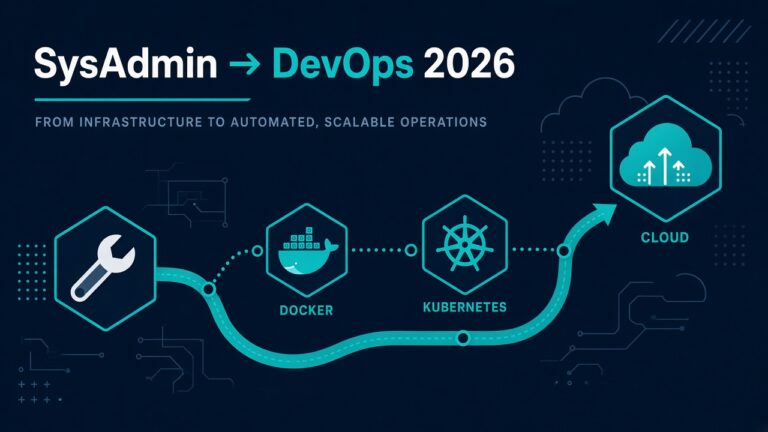
Linux → networking + Git → Bash or Python → one cloud platform → Docker + CI/CD → Terraform → Kubernetes + observability
You don’t need all of that before applying; you need it gradually over your first few years. (And resist jumping straight to Kubernetes — Docker, CI/CD, and networking first make Kubernetes make sense.)
Also worth knowing how far the skill travels: beyond sysadmin/DevOps/cloud/SRE, Linux fundamentals feed directly into cybersecurity and SOC work, penetration testing, database administration, network automation, backend engineering, embedded/IoT, and research computing. Few skills transfer across that many doors.
A related habit to build from week one: administration is security work. Learn why services shouldn’t run as root, how SSH keys beat passwords, why chmod 777 is dangerous, how to read authentication logs — and never, ever commit a password or private key to GitHub. You don’t need to become a security engineer; you do need to stop being an avoidable risk.
So — is it worth it?
Is Linux worth learning in 2026? If you want a career anywhere near servers, cloud, DevOps, or infrastructure — yes, unambiguously. It’s not the flashiest skill on your resume, but it’s the one that makes every other infrastructure skill actually work.
Start with a virtual machine this weekend. Break things. Fix them. Three months from now, you’ll be having very different conversations with recruiters.
FAQ
Can I get a job with only Linux skills and no degree?
Entry routes exist — Linux support, hosting support, NOC, cloud support, junior sysadmin — but employers expect basic networking, troubleshooting method, some scripting, and communication skills alongside the Linux itself. On degrees: filters vary by employer; startups and MSPs weigh portfolios and certs heavily, large enterprises often still screen on degrees, so cast a wide net and never misrepresent qualifications.
How long does it take to learn Linux for a job?
With consistent study (1–2 hours daily), most people reach entry-level job readiness in 3–4 months. Reaching mid-level competence takes 1–2 years of actual work experience — there’s no shortcut around production exposure.
Should I learn Linux or AWS first?
Learn Linux fundamentals first, then study both together. Spend the first few weeks getting comfortable with the terminal, files, permissions, processes, SSH, and logs — then practise those exact skills inside AWS rather than waiting until you’ve “finished” Linux. The two reinforce each other. (One exception: if your world is Windows Server, Entra ID, and .NET on Azure, Linux matters but may not be priority one.)
Which Linux distribution should beginners use?
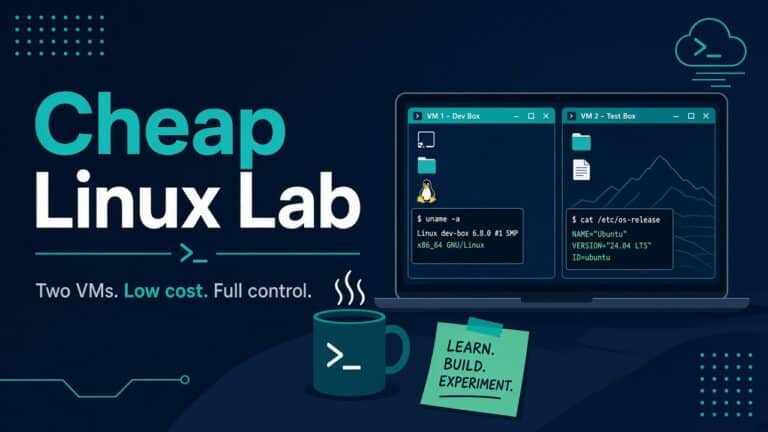
Make Rocky Linux (or AlmaLinux) your primary learning VM if your target is RHCSA or enterprise work — RHEL-family systems are common in large enterprises, while Ubuntu is everywhere in cloud, startup, and container workloads, so get exposure to both. WSL2 is handy for daily command practice; a full VM is better for learning boot, storage, firewalls, and SELinux. My VirtualBox installation guide sets up the Rocky lab step by step.
Is Linux certification necessary to get a job?
Not strictly necessary, but RHCSA meaningfully improves your resume’s hit rate for sysadmin roles in India. Skills and projects matter more in interviews; certifications matter more for getting the interview.
Keep reading
- Linux Roadmap for Beginners: What to Learn First — A step-by-step path if you decide to start.
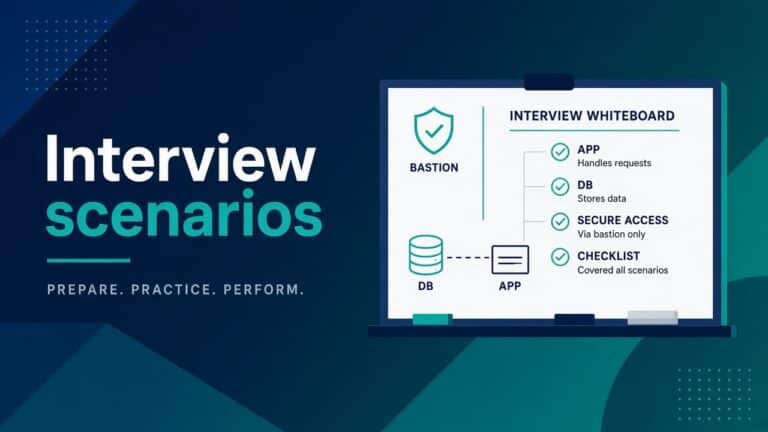
- Linux SysAdmin Interview Scenarios Hiring Managers Want — What Linux interview questions look like in practice.
- What Is Linux Operating System? A Plain 2026 Answer — A plain explanation of what Linux is.