WordPress Contact Form Not Sending: Cloudflare, reCAPTCHA, and SMTP Checklist
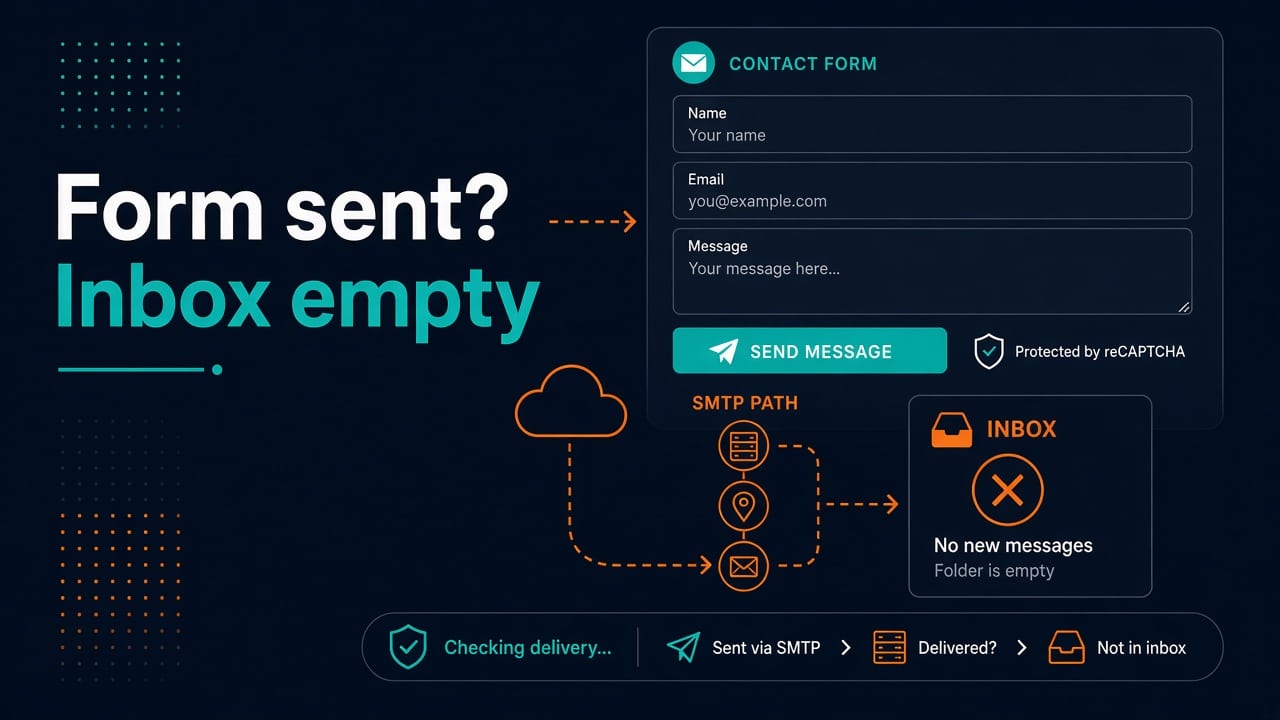
The form says “Thank you.” The inbox stays empty. Marketing blames IT. IT blames the plugin. The plugin blames reCAPTCHA. Cloudflare quietly ate a POST along the way. Welcome to one of the most searched WordPress admin headaches — still evergreen in 2026.
I run sites for a living (including this one). Here’s the checklist that actually finds the break without rewriting the theme from scratch.
Related ops reading while you’re in the weeds: DNS troubleshooting on Linux (MX/SPF live or die on DNS) and disk full triage if mail queues or logs filled the VPS.
Split the problem: form vs mail vs spam folder
- Form never submits (spinner forever, JS error, 403/503) — front-end, captcha, WAF, permalinks
- Form submits, WP says success, no mail — PHP mail/SMTP path
- Mail sends, inbox doesn’t show it — SPF/DKIM/DMARC, spam, wrong To: address
Don’t start by installing five new plugins. Prove which layer failed.
Browser and front-end checks (5 minutes)
- Open DevTools → Console + Network. Submit the form.
- Look for blocked mixed content, 403/429/503 on admin-ajax.php or REST routes
- Disable adblock / privacy extensions for a test
- Try a private window and a second browser
If Network shows Cloudflare challenge pages or WAF blocks on POST, fix that before touching SMTP.
Cloudflare (and other WAFs)
Common footguns:
- Bot Fight Mode / Super Bot Fight Mode challenging POSTs
- WAF managed rules blocking
wp-admin/admin-ajax.phpor form endpoints - Cached HTML serving a stale nonce (page cache + forms = tears)
- Email address obfuscation rewriting mailto / visible addresses oddly (less common for WP mail, still confusing)
What to do:
- Temporarily set the site to DNS-only (grey cloud) or pause WAF rules for a controlled test.
- Add a WAF exception for the form path / ajax endpoint if the rule is noisy.
- Bypass cache for pages with forms (Cache Rules: bypass on that URI).
- Retest submit while watching Network.
Remember: Cloudflare doesn’t replace proper SMTP. It can only block or break the request before WordPress runs.
reCAPTCHA / hCaptcha / Turnstile failures
Symptoms: “Spam detected”, silent fail, or submit button dead.
- Site key / secret key mismatched (v2 vs v3)
- Wrong domain in captcha admin console
- Score threshold too aggressive (v3)
- Plugin conflict — two captcha plugins racing
- Content Security Policy blocking google.com / gstatic scripts
Temporarily disable captcha on a staging copy to prove the form mail path works. Don’t leave production unprotected if spam floods; use a staging proof, then fix keys.
WordPress mail: stop relying on php mail() alone
Shared hosting mail() is unreliable in 2026 — open relays are dead, and many hosts throttle or rewrite.
Use SMTP (WP Mail SMTP, Post SMTP, FluentSMTP, etc.) with a real provider:
- Transactional: Amazon SES, Mailgun, Postmark, SendGrid, etc.
- Or authenticated SMTP from your Google Workspace / Microsoft 365 (watch app passwords and security defaults)
Send a test email from the SMTP plugin. If that fails, the contact form plugin is not your first problem.
Typical SMTP needs:
Host, port (587 STARTTLS or 465 SSL), username, app password/API key
From: address aligned with authenticated domain
SPF, DKIM, DMARC — why “sent” never arrives
Even with SMTP success APIs, inbox placement depends on DNS:
- SPF — does the sending IP/provider allowed?
- DKIM — signature configured at provider + DNS TXT
- DMARC — policy not rejecting before you monitor
dig TXT example.com +short
dig TXT google._domainkey.example.com +short
From address must be a domain you control. Forms that send From: [email protected] forge headers and land in spam — use From: noreply@yourdomain and put the visitor in Reply-To.
Plugin-specific notes (CF7, WPForms, Gravity, Fluent)
- Confirm mail template To:/From:/Subject aren’t empty after migrations
- Check Flamingo / form entry databases — if entries exist, mail path is the issue
- Rest API disabled or broken permalinks can break modern forms
- Conflict test: default theme + only form + SMTP plugins
Disk full on the VPS can break sessions, logs, and queues — if the host is gasping, run df/du/lsof triage.
Server-side mail logs
On a VPS you control:
# examples vary by MTA
sudo journalctl -u postfix -n 100
sudo tail -n 100 /var/log/mail.log
If you’re on panel hosting, use the panel’s email deliverability tools and don’t run an open relay “just for WordPress.”
Services failing to start after a package update? Use the systemd journalctl guide.
Practical fix order
- DevTools: does the POST succeed?
- Cloudflare/WAF/cache bypass test
- Captcha disable on staging to isolate
- SMTP plugin test email
- SPF/DKIM/From domain alignment
- Check spam + form entry logs
- Theme/plugin conflict bisect
- Document the working SMTP + WAF exceptions
Hardening the origin server still matters when you terminate TLS at Cloudflare — keep SSH sane with the SSH hardening checklist. If you’re growing from blog tinkerer to someone who automates site ops, the SysAdmin → DevOps roadmap is the longer path.
Worked example: CF7 + Cloudflare + wrong From header
Symptoms: form shows mail sent, Flamingo stores the entry, Gmail never sees it. SMTP test from the plugin succeeds to the admin address. Investigation shows the form still set From: {user_email} with visitor Gmail addresses — upstream SMTP accepted then spam-binned or rejected later.
Fix the mail template:
From: Site Contact <[email protected]>
Reply-To: [your-form-email]
To: [email protected]
Align SPF/DKIM for yourdomain.com with the SMTP provider. Retest with mail-tester style tools carefully (don’t spam them).
Other places forms fail
Less common causes once the main fix order is done.
Caching plugins and nonces
Full-page cache serving a form page for hours breaks nonces/CSRF tokens. Exclude form pages from cache, or use ESI/fragment strategies your stack supports. This shows up as intermittent failures — the worst kind.
REST API and permalinks
curl -I https://yoursite.example/wp-json/
If REST is blocked by security plugins or broken permalinks, modern form front-ends fail oddly. Re-save permalinks; allowlist REST routes intentionally rather than disabling security wholesale.
Rate limiting and spam floods
When captcha breaks, spammers may flood. Temporarily disable public forms rather than letting the SMTP provider suspend your account. Restore with Turnstile/reCAPTCHA + rate limits + discard rules for known junk patterns.
Ownership checklist for small teams
- Who owns DNS (SPF/DKIM)?
- Who owns Cloudflare WAF exceptions?
- Which inbox is authoritative for leads?
- Where are SMTP credentials stored (not in a ticket)?
- What’s the monthly “send a test form” drill?
Write those names down. Forms fail at the worst marketing moment; process beats heroics.
Transactional vs marketing streams
Don’t send password resets and newsletters through the same abused IP reputation pool if you can help it. Contact forms are transactional: keep them on a clean subdomain (mail. / provider stream) with tight SPF. Marketing tools belong elsewhere.
Practice
Lab exercise on staging
Clone production to staging (or use a disposable WP). Install SMTP plugin with a provider test stream. Submit the form, confirm Flamingo/entry log, confirm inbox. Then break captcha keys on purpose and observe the failure mode. Fix keys. Add a cache exclusion on the contact page. Write the working config into your password manager notes — not into a public repo.
FAQ
Why does the form say success if mail never sent?
Many plugins treat “handed to wp_mail” as success. wp_mail can return true even when the downstream MTA drops mail. Use SMTP logging.
Do I need Cloudflare Turnstile and reCAPTCHA?
Pick one. Two captchas stack poorly. Turnstile is often smoother with Cloudflare-hosted sites.
Is transactional email overkill for a small site?
For anything you care about (leads, support), no. It’s cheaper than lost inquiries.
Could a full inode table break forms?
Yes — sessions/temp files fail oddly. Check df -i as in our disk full article.
Should contact forms email multiple admins?
Prefer one list address or CRM webhook. Multiple personal inboxes + spam filters = he-said-she-said.
Sources
- PHP manual: mail(), for why PHP’s built-in mail function is unreliable for delivery
- WPForms documentation: fixing email delivery issues