systemd: Unit Failed to Start — How to Read journalctl and Fix It
You deploy a unit, run systemctl start myapp, and get the cold shoulder: failed. Or worse — it “starts” and dies 200ms later in a restart loop while the dashboard still looks green for a minute.
systemd is verbose if you ask the right questions. Most “mysterious” failures are: bad path, bad permissions, missing dependency, environment variables you forgot, or a Type= mismatch. Let’s read the logs like adults.
New to the Linux mental model? The what is Linux primer and beginner roadmap help; this post assumes you can SSH in and not fear the journal.
The five-command triage
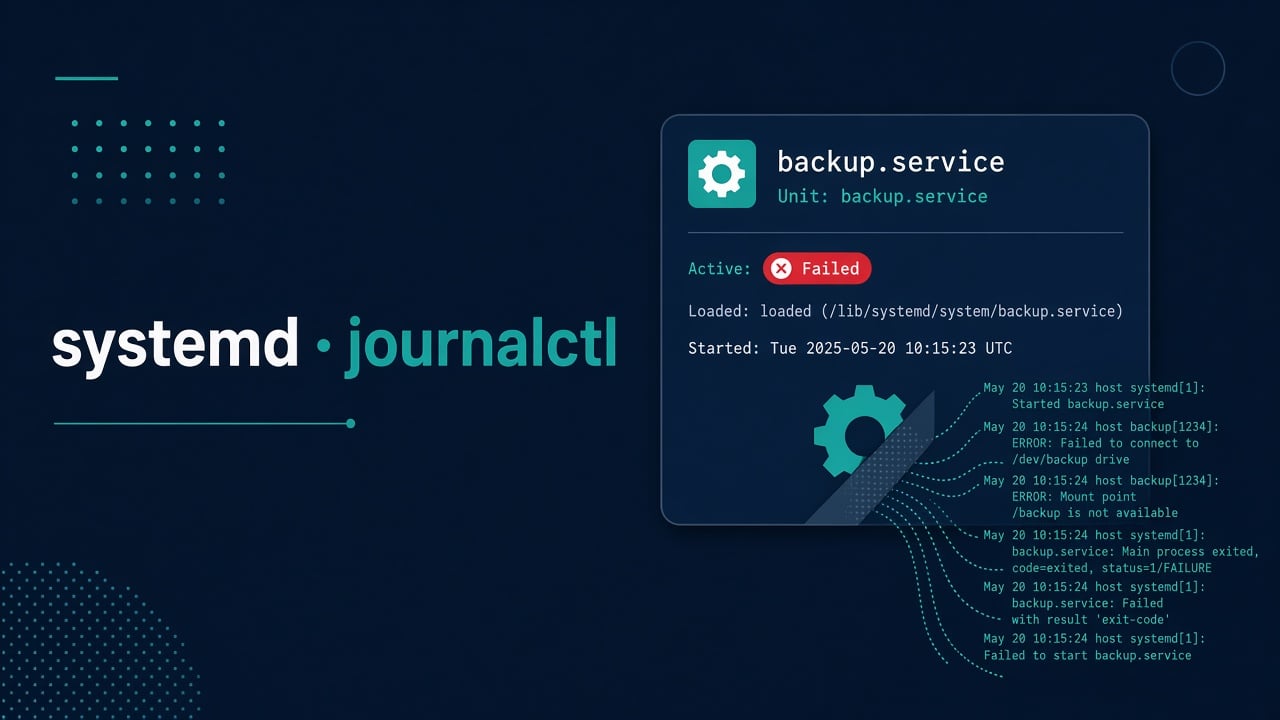
systemctl status myapp.service --no-pager -l
systemctl show myapp.service -p ActiveState -p SubState -p Result -p ExecMainStatus -p ExecMainCode
journalctl -u myapp.service -b --no-pager
journalctl -u myapp.service -n 100 --no-pager
journalctl -xe --no-pager

status— the headline: loaded path, active state, recent log lines, main PID exit.show— machine-readable fields when status is noisy.journalctl -u ... -b— this boot only; reduce noise.-xe— system-wide recent errors when the failure isn’t only in your unit.
Read from the bottom? No — read the first error after the start attempt. Cascading errors below are often symptoms.
Decode what “failed” means
Useful fields:
- Result=exit-code — process started and exited non-zero.
- Result=timeout — Type=notify/oneshot/forking expectations not met in time.
- Result=resources — cgroup / start limits.
- status=203/EXEC — classic: ExecStart binary not found or not executable.
- status=226/NAMESPACE — sandboxing (ProtectSystem, PrivateTmp, etc.) blocked something.
- status=216/GROUP or user errors — User=/Group= don’t exist.
203/EXEC is so common I check it before philosophy: typo in path, missing venv, Windows CRLF in a shebang script, or file without +x.
Inspect the unit that is actually running
systemctl cat myapp.service
systemctl list-dependencies myapp.service
ls -l /etc/systemd/system/myapp.service /lib/systemd/system/myapp.service 2>/dev/null
systemctl cat shows the merged unit + drop-ins. Drop-ins under /etc/systemd/system/myapp.service.d/*.conf override what you think is in the main file.
After edits:
sudo systemctl daemon-reload
sudo systemctl restart myapp.service
Forgot daemon-reload? You’re debugging yesterday’s unit. We’ve all done it.
Environment, working directory, and “works in my shell”
Your interactive shell has PATH, NVM, pyenv, secrets in .bashrc. systemd does not.
- Use absolute paths in
ExecStart=. - Set
WorkingDirectory=. - Pass env via
Environment=orEnvironmentFile=(mode 600, owned correctly). - Don’t assume
~expansion works the way you hope — prefer explicit paths.
[Service]
User=myapp
WorkingDirectory=/opt/myapp
EnvironmentFile=-/etc/myapp/myapp.env
ExecStart=/opt/myapp/venv/bin/python /opt/myapp/app.py
Restart=on-failure
The leading - on EnvironmentFile means “optional” — useful, but don’t hide a missing required file forever.
Type= pitfalls
- simple (default): ExecStart is the main process. Fine for most apps in foreground.
- forking: expects a parent to fork and exit. Wrong Type → systemd thinks the service died (or hangs waiting).
- notify: app must send readiness via sd_notify. If it never does → timeout.
- oneshot: for finite tasks; pair with
RemainAfterExit=when appropriate.
If a vendor unit assumes forking and you wrapped it badly, status will look haunted. Match Type to reality.
Dependencies and ordering
“Failed because network wasn’t ready” still happens:
After=network-online.target
Wants=network-online.target
Also check mounts: if the app lives on /data and the mount failed, you’ll get EXEC or config errors. systemctl list-units --failed shows the whole crime scene.
Disk full can make services fail in confusing ways — if logs mention write errors, jump to disk full triage with df/du/lsof.
Restart loops and rate limits
systemd may stop trying after too many bursts (StartLimitBurst). status will say the start request was refused. Reset:
sudo systemctl reset-failed myapp.service
Then fix the cause before another tight loop. Blind restart scripts are how you heat a core overnight.
Sandboxing: when security features break your app
Modern units often ship with ProtectSystem=, ProtectHome=, NoNewPrivileges=, PrivateTmp=, capability bounding sets. Great for security; rough when your app writes to /etc or needs a capability you dropped.
Debug by temporarily relaxing in a drop-in (not by deleting all hardening forever), confirm root cause, then apply the least privilege that works. Same mindset as SSH hardening: security that you understand beats copy-paste lockdowns.
Practical fix order
status+journalctl -u— capture the first real error.systemctl cat— verify ExecStart, User, drop-ins.- Run the ExecStart command manually as the service user (
sudo -u myapp ...) to reproduce. - Fix path/perm/env/dependency.
daemon-reload+ restart + watchjournalctl -f -u myapp.- Add a smoke check to your deploy docs so the next person isn’t guessing at 2 AM.
Automating unit deploys belongs in your config management journey — see the SysAdmin to DevOps roadmap.
Reading a sample failure end-to-end
Imagine myapi.service fails with status 203/EXEC. systemctl cat shows:
ExecStart=/opt/myapi/venv/bin/uvicorn app:app --host 0.0.0.0 --port 8080
User=myapi
Manual test:
sudo -u myapi /opt/myapi/venv/bin/uvicorn app:app --host 0.0.0.0 --port 8080
If that says “No such file,” the venv path is wrong after a deploy that moved directories. Fix the path or recreate the venv; daemon-reload; restart; watch:
journalctl -f -u myapi.service
If the binary runs but port bind fails, you’re not in systemd mystery land anymore — you’re in address already in use territory.
Additional failure modes
Rarer causes once the triage above has not found it.
StandardOutput and logging pitfalls
Units can send stdout to the journal, files, or nowhere useful. Prefer journal for most services, with rate limits understood:
[Service]
StandardOutput=journal
StandardError=journal
SyslogIdentifier=myapi
If the app logs only to a file on a full disk, the service may crash in loops while the journal looks oddly quiet. Check both.
Timers vs services
A .timer unit activating a oneshot .service fails differently than a long-running daemon. Use:
systemctl list-timers --all
systemctl status myjob.timer myjob.service
If cron is still in the mix for other jobs, keep the schedules documented so you don’t double-fire the same batch — see cron troubleshooting.
Capabilities and PrivateDevices
Apps that bind low ports, access raw devices, or use ping may need capabilities (AmbientCapabilities=, CapabilityBoundingSet=) instead of running as root. Prefer capabilities over root. Document why each capability exists so the next hardening pass doesn’t strip them blindly.
Deploy checklist addition
- Install unit + drop-ins from Git
daemon-reloadsystemctl enable --now servicesystemctl is-active+ curl/health check- On failure: capture
status+ last 100 journal lines in the deploy ticket
That last step turns “it failed on prod” into something a teammate can reproduce.
Notify access and watchdog
Units with WatchdogSec= expect regular keepalives. If the app isn’t watchdog-aware, systemd will kill it and mark failed. Either implement notifications or remove the watchdog from the unit for that app. Read vendor unit files before “fixing” by deletion.
FAQ
Where are the log files on disk?
Often nowhere separate — they’re in the journal. Use journalctl. Some apps still write their own logs under /var/log; check both.
systemctl start succeeds but the app is dead?
Look for oneshot misuse, or a process that daemonizes away from systemd’s tracking. Fix Type= and foreground behavior.
How do I see logs since 10 minutes ago?
journalctl -u myapp --since "10 min ago"
Do I need to reboot after changing a unit?
No. daemon-reload + restart of that unit is enough in almost all cases.
Why does enabling on boot still fail after reboot?
Ordering/network/mount race, or an EnvironmentFile on a not-yet-mounted disk. Test with After= and local-fs targets.