Ansible: Your First Useful Role for Working SysAdmins
Most Ansible tutorials teach you to ping localhost and feel productive. That is fine for five minutes. On a real job you need a role that installs the packages you always install, drops the sshd settings you always forget, and does not brick SSH when a variable defaults to empty.
I have locked myself out once — not from malice, from a role that set PasswordAuthentication no while the admin user’s authorized_keys task silently skipped because the key variable was blank. Console access saved the afternoon. This guide is the first useful role I want a working sysadmin to merge: baseline packages, an admin user, and sshd hygiene with a break-glass mindset.
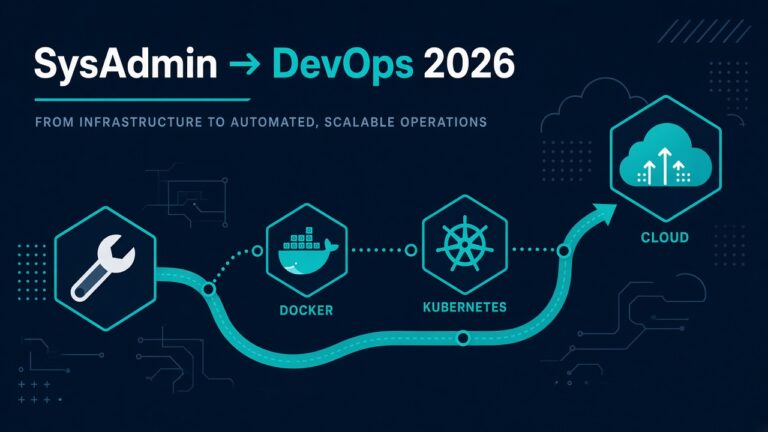
Career arc if you need it later: SysAdmin to DevOps roadmap. Today we build one role well.
Why a role, not a 400-line playbook
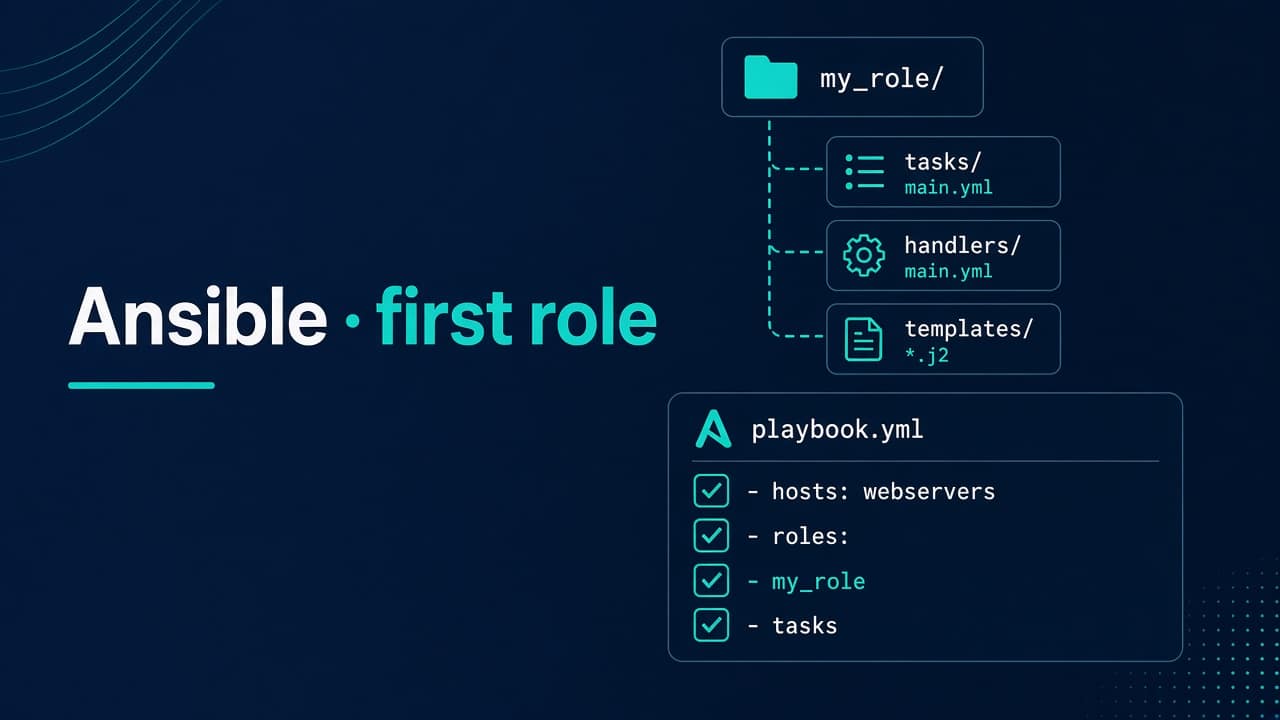
Playbooks are glue. Roles are reusable chunks: tasks, templates, defaults, handlers. When you have twelve Ubuntu boxes and three Rocky boxes, you want import_role: name: baseline, not copy-paste YAML archaeology.
Common wrong assumption: “I’ll keep everything in one playbook until it’s messy, then refactor.” The refactor never comes. Start with a role directory even if only one playbook calls it.
How to check prerequisites (before any YAML)
- SSH already works with a key to a non-root sudo user. If keys fail, fix that first — SSH permission denied publickey. Automation on a broken trust path is just faster failure.
- You have console/serial/VNC access to the lab VM. Seriously. Do not batch-disable password auth without a way in.
- Ansible can ping:
ansible all -i inventories/lab/hosts.ini -m ping
Success: pong from each host. If you see unreachable, stop — fix network/SSH before roles.
Layout that won’t embarrass you
mkdir -p roles/baseline/{tasks,handlers,templates,defaults,meta}
touch roles/baseline/tasks/main.yml
touch roles/baseline/handlers/main.yml
touch roles/baseline/defaults/main.yml
touch roles/baseline/meta/main.yml
Keep defaults conservative. Override per group in inventory. Do not hardcode your laptop username as deploy on prod.
Inventory: start boring
# inventories/lab/hosts.ini
[web]
lab-web1.example.com
lab-web2.example.com

[web:vars]
ansible_user=ubuntu
Use hostnames you can resolve. Mixing cloud IPs and nicknames without /etc/hosts or DNS is how people run playbooks against the wrong box.
defaults/main.yml — knobs you admit exist
---
baseline_packages:
  - curl
  - vim
  - htop
  - unzip
baseline_ssh_password_auth: "no"
baseline_ssh_permit_root: "no"
baseline_admin_user: deploy
baseline_admin_pubkey: ""   # MUST override per env — empty is intentional danger flag
Password auth off by default. If a vendor box needs it temporarily, override in host_vars — and leave a calendar reminder. Pair habits with SSH hardening checklist 2026.
Opinion: an empty default for the pubkey is better than a sample key that someone forgets to change. Fail loud in tasks if it is empty when hardening runs.
tasks/main.yml — the useful meat
---
- name: Install baseline packages
  ansible.builtin.package:
    name: "{{ baseline_packages }}"
    state: present

- name: Ensure admin group exists
  ansible.builtin.group:
    name: "{{ baseline_admin_user }}"
    state: present

- name: Ensure admin user exists
  ansible.builtin.user:
    name: "{{ baseline_admin_user }}"
    groups: sudo
    append: true
    shell: /bin/bash
    create_home: true

- name: Install admin authorized_key
  ansible.builtin.authorized_key:
    user: "{{ baseline_admin_user }}"
    key: "{{ baseline_admin_pubkey }}"
    state: present
  when: baseline_admin_pubkey | length > 0

- name: Fail clearly if hardening without a key
  ansible.builtin.fail:
    msg: "baseline_admin_pubkey is empty — refusing to tighten sshd"
  when:
    - baseline_ssh_password_auth == "no"
    - baseline_admin_pubkey | length == 0

- name: Deploy sshd_config drop-in
  ansible.builtin.template:
    src: sshd_hardening.conf.j2
    dest: /etc/ssh/sshd_config.d/99-baseline.conf
    owner: root
    group: root
    mode: "0644"
  notify: Reload sshd
That fail task is me being petty on purpose. A common mistake is disabling password auth and keys in the same change. Console access is not paranoia; it is how you keep a job.
On RHEL-family hosts the sudo group may be wheel — override with a variable when you add Rocky/Alma. Do not pretend one group name fits every distro.
templates/sshd_hardening.conf.j2
# Managed by Ansible role baseline — do not edit by hand
PasswordAuthentication {{ baseline_ssh_password_auth }}
PermitRootLogin {{ baseline_ssh_permit_root }}
KbdInteractiveAuthentication no
Drop-ins under sshd_config.d/ beat editing the giant main file. Confirm your distro’s sshd actually includes that directory (modern Ubuntu/Debian/RHEL do).
handlers/main.yml
---
- name: Reload sshd
  ansible.builtin.service:
    name: sshd
    state: reloaded
Some Debian packages use service name ssh instead of sshd. Check with systemctl list-units 'ssh*' on a sample host and make the name a variable if you mix families.
Playbook that calls the role
---
- name: Apply baseline
  hosts: web
  become: true
  roles:
    - baseline
Run narrowly first:
ansible-playbook -i inventories/lab/hosts.ini playbooks/baseline.yml --limit lab-web1.example.com
Verify success
# from your laptop, as the admin user
ssh -o BatchMode=yes [email protected] 'echo ok && sudo -n true && systemctl is-active ssh'
# confirm drop-in exists on host
ssh [email protected] 'grep PasswordAuthentication /etc/ssh/sshd_config.d/99-baseline.conf'
Success: key login works; sudo works; password auth is off in the drop-in; a second playbook run reports changed=0 for the boring parts (idempotence).
If still stuck / locked out: use console, temporarily set PasswordAuthentication yes in a drop-in or main config, reload sshd, fix keys, re-run the role. Do not reboot as a personality trait — reload is enough for sshd. If package installs fail, check mirrors and apt/dnf basics before blaming Ansible.
Tradeoffs I want you to own
- One role = one job. Baseline is not also nginx and Docker. Split when the README needs sections.
- Secrets: do not put production private keys in git. Use Ansible Vault or a secret manager for real environments; lab keys can be lab-only.
- Idempotence matters because the second run is when you discover your task always “changes.”
- Don’t harden SSH in the same change as rebuilding users on a host you cannot console into.
When you outgrow single-host Compose toys and need config drift control across a fleet, this role is the right kind of boring. Containers come after — Docker Compose for ops.
A worked lab run (what I actually type)
Assume VirtualBox or a small cloud VM named lab-web1, Ubuntu 22.04/24.04, user ubuntu with sudo, and your pubkey already in ~ubuntu/.ssh/authorized_keys.
- Put your pubkey into
inventories/lab/group_vars/web.yml:
baseline_admin_pubkey: "ssh-ed25519 AAAA... your@laptop"
- Run once with limit, watch for failed/unreachable.
- SSH as
deploy(or whatever you set) and prove sudo. - Run the playbook a second time — package and user tasks should be ok/changed=0.
- Only then point the same role at a second host.
If step 3 fails, do not “fix” by re-enabling password auth on a dozen hosts via Ansible. Fix the one lab host from console, adjust the role, re-test. Speed comes after the role is trustworthy.
Wrong assumption: --check mode proves SSH will still work. Check mode does not always exercise handlers the same way, and it cannot save you from a bad key variable. Use check for syntax/drift hints; use a lab host for truth.
When NOT to use this tip
Do not drop this role onto a vendor appliance where sshd is managed by their own config management. Do not fight a golden image that already templates sshd until you know who wins the file war. And do not use Ansible as a substitute for understanding why a single host is broken — if nginx is 502’ing, debug that host with logs first (502 guide), then encode the fix.
FAQ — real doubts
Do I need Ansible Galaxy collections on day one?
Not for this baseline. Stick to ansible.builtin until you need something specific. Galaxy is useful; it is also a way to import other people’s assumptions.
Should I disable root login and password auth in the first PR?
In lab, yes — after keys and console are proven. In prod, split into two changes: (1) ensure keys and sudo, (2) tighten sshd. Same role, different variable overrides and change windows.
What about firewall / fail2ban in this role?
Tempting. I keep them separate. SSH hardening and host firewalls interact; see fail2ban vs security groups. One PR that “does security” is how you get unreviewable diffs.
How do I test without twelve VMs?
One lab VM, --check mode for reading, then a real run, then a second real run for idempotence. Multiplying hosts before the role is stable just multiplies lockouts.