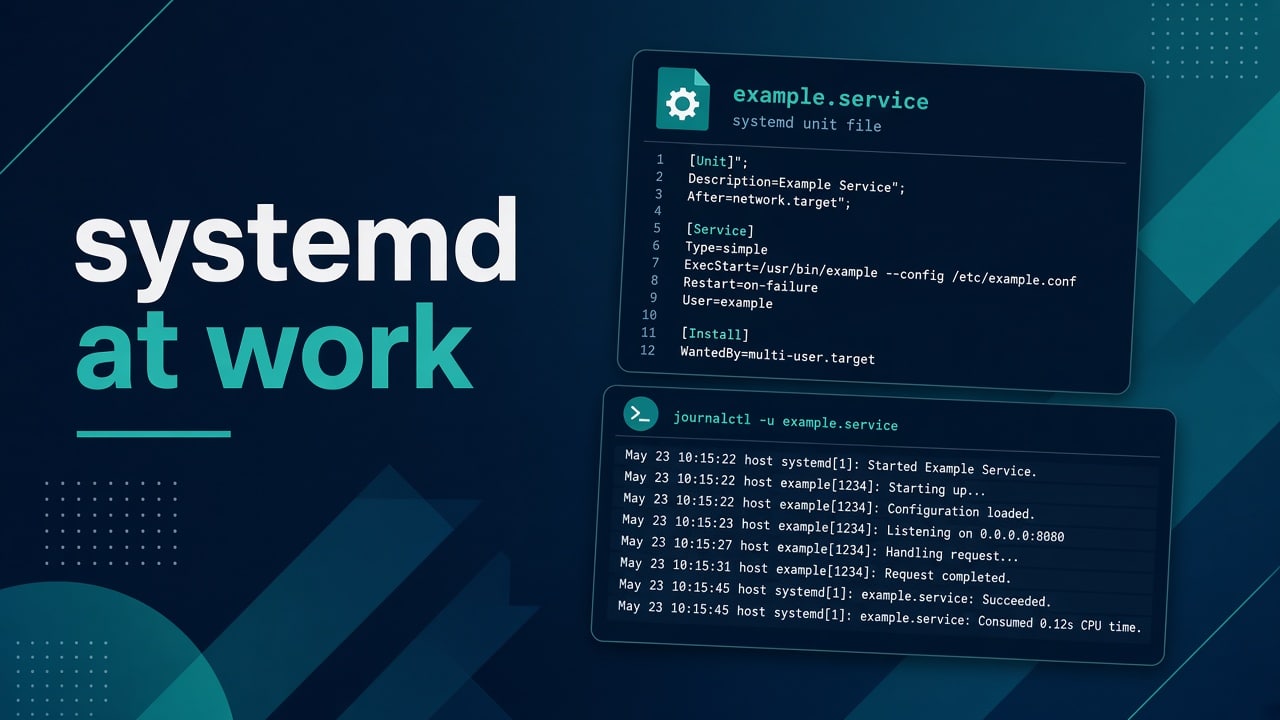
systemd for New Admins: Services You’ll Actually Touch at Work
At work you won’t recite every systemd man page. You’ll restart a unit, read a journal, fix a bad ExecStart, and explain why something didn’t come back after reboot.
This is the slice of systemd that shows up in tickets. When a unit already failed, jump straight to unit failed to start. Bootcamp pairing: Module 4.
What you’re operating
systemd starts units (services, sockets, timers, mounts). Your daily verbs:
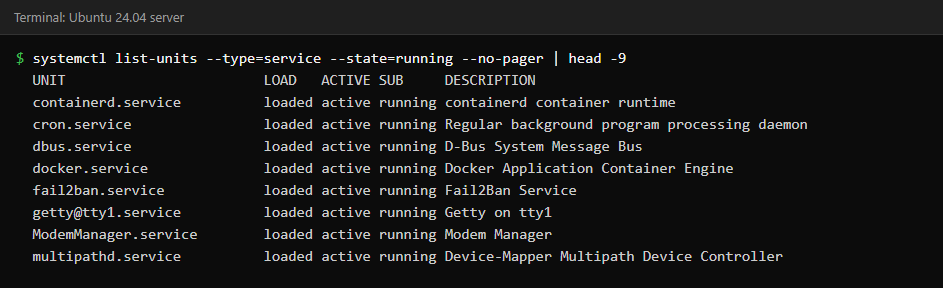
systemctl status nginx
sudo systemctl restart nginx
sudo systemctl stop nginx
sudo systemctl enable --now nginx
sudo systemctl disable nginx
systemctl is-enabled nginx
systemctl list-units --failed
enable means start on boot. start means start now. Juniors mix those up constantly — say both out loud until you don’t.
Read the journal like an adult
journalctl -u nginx -e
journalctl -u nginx --since "1 hour ago"
journalctl -u nginx -n 100 --no-pager
journalctl -p err -b
Boots matter: -b limits to this boot. Priority filters cut noise. If the disk is full of journals, vacuum with intent — see disk playbook df/du/lsof.
Anatomy of a unit you’ll actually write
# /etc/systemd/system/myapp.service
[Unit]
Description=MyApp API
After=network-online.target
Wants=network-online.target

[Service]
Type=simple
User=myapp
Group=myapp
WorkingDirectory=/opt/myapp
EnvironmentFile=-/etc/myapp/env
ExecStart=/opt/myapp/bin/myapp serve
Restart=on-failure
RestartSec=5

[Install]
WantedBy=multi-user.target
sudo systemctl daemon-reload
sudo systemctl enable --now myapp
Common failures: wrong path, missing env file, permission on binary, port already taken — address already in use. Permissions: users and permissions.
Restart policies without cargo cult
Restart=on-failure— usual app defaultRestart=always— careful; can hide crash loopsRestartSec=— give the box a breath
Crash loops fill journals and CPU. Check load when something “flaps”: load average high. OOM kills look like random restarts — OOM killer explained.
Timers: cron’s cousin
systemd timers are great for machine-local jobs with dependency awareness. Cron still everywhere — know both. Reliability wrapping: schedule and wrap cron, triage cron not running.
systemctl list-timers --all
systemctl status logrotate.timer
Drop-in overrides beat editing vendor units
sudo systemctl edit nginx
# creates /etc/systemd/system/nginx.service.d/override.conf
Upgrades won’t clobber your override the same way they clobber a hand-edited vendor file. daemon-reload after edits. Always.
Dependencies that lie
After= orders startup; it doesn’t guarantee the other service is healthy. If your app needs a database, health-check in the app or use explicit waits — blind Requires= can take you down together. Networking “up” ≠ DNS works: DNS checklist.
Details that bite later
Once the basics work, these are the details that cause surprises after a reboot or on a shared server.
Type= and what “started successfully” means
Type=simple means systemd considers the service up when ExecStart is running. Type=forking expects a daemon to double-fork and maybe write a PID file — old school. Wrong Type= creates races where dependents start early or systemd thinks the service died immediately.
If a vendor unit looks ancient, don’t rewrite it on day one. Override the minimum, file an upstream issue, move on. Your job is uptime, not purifying unit aesthetics.
Environment variables: the quiet breakers
Interactive shells load profiles. Services don’t. Anything your app needs — PATH, JAVA_HOME, secrets file path — must live in the unit or EnvironmentFile.
systemctl show myapp -p Environment -p EnvironmentFiles
sudo systemctl cat myapp
Quoting matters. So do spaces in values. When cron and systemd disagree about env, you’ll feel déjà vu from cron failures.
StandardOutput and log noise
Apps that chatter to stdout fill the journal. Cap retention, or point the app at a file with rotation. Disk full from journals is a rite of passage — mitigate before pager season. Pair with disk triage.
[Service]
StandardOutput=journal
StandardError=journal
# better long-term: app-level logging with size limits
Ordering during boot
Remote mounts, DNS, and network-online targets confuse people. If your service needs a mount, express it with RequiresMountsFor= or a proper mount unit. If it needs DNS, don’t assume After=network-online.target means names resolve — validate with networking basics.
Safe restart etiquette on shared boxes
- Announce in chat for user-facing services
- Check active connections if it’s a database
- Prefer reload when the service supports graceful config reload
- Watch error rate for a few minutes after
Restart is not a personality. It’s a tool. Combine with healthchecks when you own APIs: API healthchecks.
systemctl vs service vs init scripts
You’ll still meet service nginx restart muscle memory. On systemd hosts it’s usually a wrapper. Prefer systemctl so your notes match the logs. Legacy init scripts exist on old images — know how to recognize them without rewriting history mid-incident.
Masking and why stop isn’t forever
systemctl stop stops now. disable prevents boot start. mask links the unit to /dev/null so nothing can start it until unmasked. Use mask when a package keeps resurrecting a service you must keep dead.
sudo systemctl mask blinky-telemetry
systemctl status blinky-telemetry
Reading cgroup hints without becoming a kernel engineer
Memory and CPU accounting show up in systemctl status. When a service is OOM-prone, set limits thoughtfully and watch the host — OOM killer. Limits without monitoring are just quieter failures.
Socket activation — know it exists
Some services start on first connection via socket units. If something isn’t listening until traffic arrives, you’re not crazy — read systemctl cat for both .socket and .service. Don’t disable the socket and wonder why the app “randomly” fails.
Failures after reboot only
Classic: works when you start it manually logged in, fails at boot. Causes include network not ready, DNS not ready, mounts missing, or secrets on a volume that appears later. Compare journalctl -b from a clean reboot with a manual start. Networking checklist: networking basics.
sudo reboot
# after console comes back
systemctl --failed
journalctl -b -p err --no-pager | head -n 50
Wrapping Compose or Java apps
Lots of shops run Docker Compose under a systemd unit, or a fat JVM. Pin working directories, users, and restart policy. Compose notes: Compose for ops. Keep one process supervisor story so you don’t double-restart yourself into a flap.
Copy-paste hygiene for units
Never leave ExecStart pointing at a path under /home/you/Downloads. Deploy binaries to /opt or /usr/local with clear ownership. Keep examples in git; keep secrets out of git. If a unit file contains passwords, you’ve already started an incident — move them to a root-owned env file with mode 0640 and a service group reader.
Practice
Job-ready drills
- Wrap a script in a service; break the path; fix from journal only
- Add an override that sets
Environment= - Simulate port conflict; resolve cleanly
- Explain enable vs start in one interview sentence
Lab progression
- Package-installed unit (nginx) — stop/start/enable
- Custom unit for a script
- Override with drop-in
- Timer that hits a health URL
- Intentional failure + journal diagnosis writeup
That writeup belongs in your interview folder next to scenario drills.
FAQ
systemctl cat?
Shows the effective unit text. Use it before guessing.
User services?
systemctl --user exists; lingering and login sessions confuse people. Prefer system services for server apps.
Do I need to memorize every Type=?
Know simple and forking at first. Read the docs when a vendor unit is weird.
Where next?
Networking day-1: networking basics. Bootcamp hub: bootcamp.
systemd isn’t mystical. It’s a process supervisor with a good log store. Treat units as contracts and journals as truth.